Journey 2: The Mysterious Island


-
M0vieM0nster

- HiRes Uber Member
- Posts: 3539
- Joined: Mon May 22, 2006 11:21 pm
- Location: United Kingdom
- Contact:


Thanks Guys!!
Still experimenting with the back...not sure to try some stills or go with the characters.
[attachment=18346:journey2d2pre.png]
Still experimenting with the back...not sure to try some stills or go with the characters.
[attachment=18346:journey2d2pre.png]
You do not have the required permissions to view the files attached to this post.
Last edited by Jpeg on Fri Dec 09, 2011 6:51 am, edited 1 time in total.
-
ANTONY 2244

- New to the scene
- Posts: 16
- Joined: Sun Dec 19, 2010 1:23 am
- Contact:
-
bpmford

- HiRes Uber Member
- Posts: 2317
- Joined: Fri May 08, 2009 4:28 pm
- Location: Calgary, Canada
- Contact:
Jpeg asked me to give him some tips on adjusting the characters on his back screens.
I came up with this little tutorial that hopefully helps you jpeg. You can always ask me for more clarification if needed. I have also included a link to the PSD file I created for the Tut:
HERE
STEP 1

STEP 2

STEP 3

STEP 4
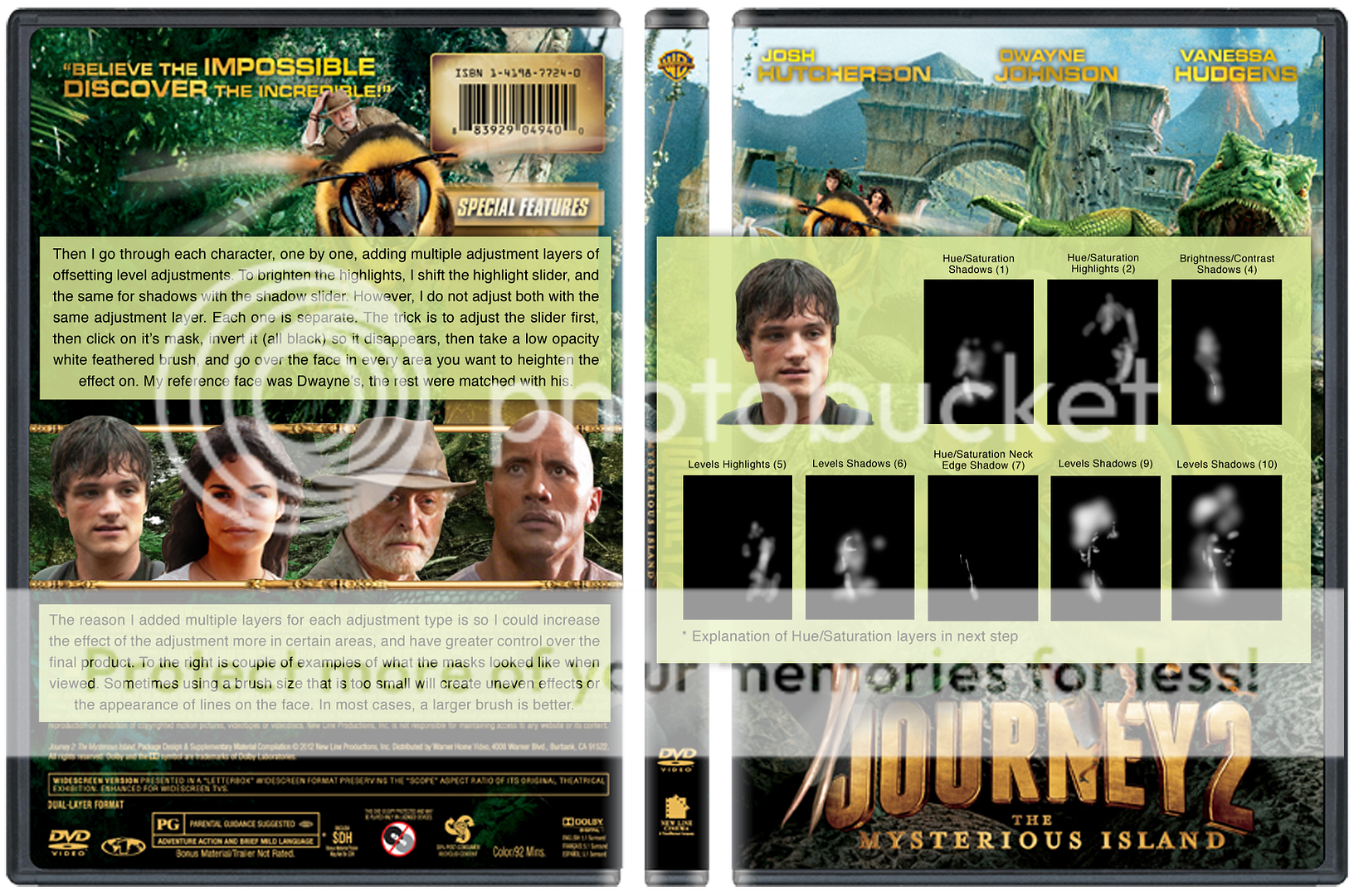
STEP 5

STEP 6

FINAL COVER

Hope that helps!
I came up with this little tutorial that hopefully helps you jpeg. You can always ask me for more clarification if needed. I have also included a link to the PSD file I created for the Tut:
HERE
STEP 1
STEP 2
STEP 3
STEP 4
STEP 5
STEP 6
FINAL COVER
Hope that helps!
Last edited by bpmford on Wed Dec 14, 2011 11:44 pm, edited 1 time in total.


Who is online
Users browsing this forum: No registered users and 1 guest